DGAge Studio has a large focus on the design of this battery that could develop a plan to bring you a fantastic and remarkable widget.
The glass figure is designed to be easily integrated with your background.
This smart battery is provided to you in two sizes and you can see essential details of the battery use just by clicking on it. The color of battery use range from green to red to enable you planing how to use the battery, so the red color , shows you that the battery would be over and you have to recharge it as soon as possible.
Click here and download application, then extract app and instal:
http://adf.ly/OeVGv
Professional book reader with powerful controls & full functions.
*Support online ebook libraries and personal calibre ebook server.
*Read local books with smooth scroll and tons of innovation.
Support txt, html, epub, umd, fb2, chm, zip or OPDS. Localized in 38 languages.
Click here and download application, then extract app and instal:
http://adf.ly/OeVOv
Barcode Scanner+ is an enhanced version of the popular, free Barcode Scanner application, which is a product of the ZXing open-source barcode scanning library from Google. Barcode Scanner+ is based on the same code, and has been developed by one of the two primary authors of the original Barcode Scanner, Sean Owen.
Barcode Scanner+ includes all of Barcode Scanner's functionality, and is intended as a drop-in replacement for Barcode Scanner. It adds several enhancements:
Better barcode scanning:
-New image processing algorithm for detection of 1D barcode formats, including UPC and EAN product codes
-Uses both cores of dual-core processors
-Optionally, scan for Aztec and PDF417 barcodes (note: PDF417 support is 'alpha' quality)
-Rewritten to take advantage of Java 6, Android 2.2+ APIs, and latest Android SDK features
Click here and download application, then extract app and instal:
http://adf.ly/OeVaU
Next Launcher 3D play.google.com.nextlauncher
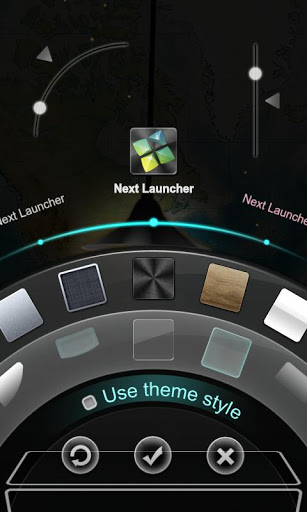
At the end of 2012, we have a surprise for you! Next Launcher, designed by GO Dev Team, is officially released now!
Next Launcher is a new launcher application which is full of glorious 3D elements and dynamic effects. Fancy 3D visual elements, gorgeous transition effects and humanized gestures bring you a unique and splendid operation experience and visual enjoyment.
Features:
- Various operation for icons: icons support rotation, reset, select, align and so on. Operation is easy and fantastic.
- Unlimited screen layout: placing icons or widgets randomly which forms your own home screen.
- Stereoscopic screen preview: lots of screen display effects, dazzling animation of screen switching about adding or deleting screen.
- Quick screen management: adding different kinds of elements in screen edit including application icons, folders and widgets. It’ll support changing wallpapers and themes soon.
- Rotatable dock: inverting upward or downward the Dock can quickly switch among home screen, screen edit and screen preview.
- Powerful app drawer: icons can be arranged by names or by time, and folders can be created by overlaying icons. Batch mode and operation of adding apps to screen are also available.
- Beautiful scrolling effects: a variety of app drawer scrolling effects that provide a distinctive screen switching experience.
- Fancy 3D widgets: 3D widgets that are based on Next Launcher are coming soon!
Click here and download application, then extract app and instal:
http://adf.ly/OSfP7
Try the smartest lock screen for Android !
LockerPro allows you to check your notifications without unlocking your device.
LockerPro monitors notifications coming from any app on your device, and displays them as banners on your lock screen. You can easily swipe them away by swiping them to the left, or launch the notification by swiping to the right.
When your device is unlocked LockerPro provides banner notifications in the top of your screen even when running fullscreen apps so that you don't miss them.
LockerPro also provides a shortcut panel and music playback control. Simply swipe the clock to the right to access the shortcut panel, and to the left to access music playback control.
Contact picture, custom ringtone, quick reply for SMS, direct callback for missed calls, various clock styles, and many other features are available.
Click here and download application, then extract app and instal:
http://adf.ly/OSePJ